
Accepting Credit Cards with Your iPhone
The days of relying on bulky or expensive mobile credit card terminals are largely behind us. With the rise of iPhone-compatible payment apps, it’s easier than ever for small business owners to accept credit card payments on the go. These tools eliminate the need for extra hardware and reduce setup costs, making mobile payments accessible to more people than ever before.
Many of these apps go beyond simple transaction processing. They often include features for tracking sales, managing inventory, generating reports, and storing customer data. For business owners comfortable with mobile tech, these added tools can help streamline operations and improve decision-making.
iPhone payment apps also make great backups in case your primary system goes down, an all-too-common scenario in today’s tech-dependent world. Having a fallback option ensures your business keeps running, even during equipment failures or network outages.
For new or seasonal businesses, the convenience and low startup cost make mobile processing an appealing option. There’s no need to invest in traditional terminals or commit to long-term contracts. In many cases, you can sign up and begin accepting payments within a single day.
How to Choose an iPhone Credit Card Reader
When selecting a credit card reader for your iPhone, compatibility is essential. Not all readers work with every iPhone model or iOS version, and using the wrong one can lead to dropped transactions, software errors, or even hardware damage. Before buying, always check the reader’s technical specifications to make sure it supports your specific phone and operating system. It’s also worth considering whether the reader fits with your phone case, as some bulky cases can interfere with a secure connection.
Security is another key factor. A reader without proper encryption can put sensitive payment data at risk, leaving your business exposed to fraud and potentially getting banned from accepting credit cards. Look for readers that support strong encryption protocols like AES or SSL, and ensure they are PCI DSS compliant. These standards are required for any business that accepts card payments and are your best defense against data breaches.
Finally, ease of use matters. A reliable reader should pair with a well-designed app that walks you through each transaction with clear instructions and prompts. A straightforward user interface reduces errors, shortens checkout times, and makes for a better experience for both you and your customers.
Understanding Credit Card Processing Fees
When choosing a credit card reader for your iPhone, it’s essential to understand the different pricing models available. The three most common are flat-rate pricing, tiered pricing, and interchange-plus pricing. Each model affects the cost of processing transactions differently.
Flat-Rate Pricing
Flat-rate pricing charges a single rate for all transactions. This model is simple and ideal for businesses with low transaction volumes since it eliminates hidden fees. However, for businesses with high volumes or larger transactions, flat-rate pricing can be more expensive. Rates typically look like: “2.9% + $0.20 for card-present transactions or 3.4% + $0.30 for e-commerce and keyed.”
Tiered Pricing
Tiered pricing is more complex, with different rates for various transaction types and card categories. Transactions are divided into “qualified,” “mid-qualified,” and “non-qualified” tiers, depending on factors like card type and processing method. This model makes it difficult to predict processing costs, and businesses often end up paying more. It’s generally the most expensive and least transparent option, so it’s best to avoid it.
Interchange-Plus Pricing
Interchange-plus is the most transparent model, where you pay the actual wholesale processing fee passed by the network, plus a small markup by from the app maker. Interchange fees are set by the card issuing banks and are a non-negotiable cost of credit card processing. However, the processor’s markup can be negotiated. This model is ideal for businesses with transaction volumes exceeding $10,000 per month. Quotes for Interchange-plus pricing often look like: “Interchange + 0.30% + $0.20 per transaction.”
Consider Customer Support Options
Reliable customer support is critical when choosing an iPhone credit card reader. Even with user-friendly devices, there will be times when you need help with setup, technical issues, or billing disputes. Easily accessible support can make a big difference in your business’s success.
Types of Support
Some providers offer phone support, allowing you to speak directly with a representative, which is especially useful if you need immediate help or prefer speaking to someone rather than using online resources. Other providers may only offer support through chat, email, or online resources like FAQs and user guides. While convenient, these options may not be as effective for complex issues or users who prefer talking to customer service.
Matching Support to Your Needs
When choosing a credit card reader, consider how often you are running sales and when they are occuring. For example, if most of your sales occur at night or on the weekends, be sure that customer support is available during those times. The last thing you want to happen is for a problem to occur when you can’t reach any help. If you are only running occasional, small transactions, then you are much less likely to need access to phone support and may be able to select a lower cost processing option that only offers basic online support.
Client Feedback and Reputation
Beyond the type of support, consider response time and support quality. Look for providers with a strong reputation for reliable and helpful customer service by reading reviews to gauge the level of support you can expect.
Choosing From Award Winning Options
The iPhone card readers selected below were chosen for their low cost, lack of long-term commitments, and no cancellation fees, making them budget-friendly options for small businesses. These readers are also known for their well-rated customer support, ensuring help is available when needed. Additionally, they offer wide compatibility with various iPhone models, allowing for PCI compliant flexibility across different devices. We’ve also monitored these companies for over a decade, ensuring they maintain high standards in both product performance and customer satisfaction, making them reliable choices for any business.
Top-Awarded iPhone Credit Card Readers

Helcim
Lowest Cost, Best Tech, Top-Rated Support
After extensive research, we found Helcim to be the best option for accepting credit cards with an iPhone. It uses transparent interchange-plus pricing, so you pay the true processing cost plus a small, fixed markup. Rates start at 0.40% + $0.08 per transaction and can drop as low as 0.15% + $0.06 as your volume grows. There are no monthly, annual, or PCI compliance fees. Helcim’s app is easy to use and includes tools for inventory tracking, invoicing, and reporting. The company also stands out for its responsive customer support and strong security practices, including PCI DSS compliance and advanced encryption.
Helcim’s iPhone Card Reader Options
Tap and Pay
Helcim’s “tap and pay” iPhone app allows individual sellers to accept payments without a physical card reader. Using the app, you can tap your customer’s card directly onto your phone to process transactions, making it easy and convenient. This option is ideal for solo business owners, as it eliminates the need for extra equipment and simplifies the payment process, allowing you to focus on running your business without worrying about the extra costs for hardware.
Dedicated Card Reader
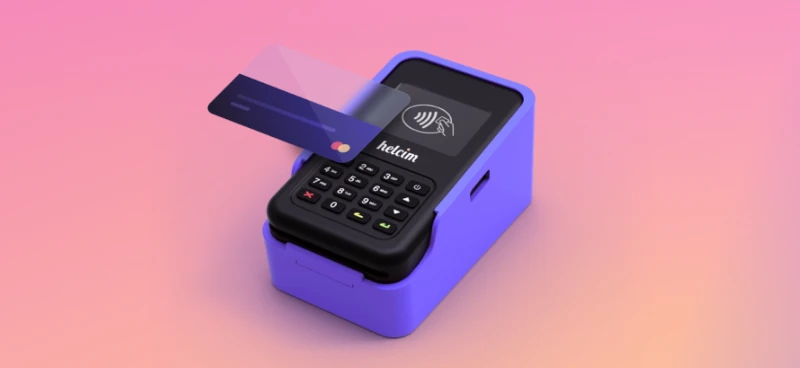
Helcim also offers a $129 dedicated card reader that syncs with their payment app. This option is best for businesses with staff or those that need to hand the device to customers for payments. This reader allows you to process transactions without using your personal phone, reducing the risk of damage or theft. It’s a great solution for maintaining security and protecting your device while providing a smooth checkout experience for your customers.
For more details, visit Helcim or call (888) 506-7812

Square
Quickest Sign-up, Lowest Entry Cost
Square is an excellent option for businesses looking for a quick and affordable credit card processing solution for their iPhone. Square offers the lowest entry cost among the options on this list, with no monthly fees or long-term contracts. This makes it an appealing choice for seasonal businesses or those just starting out. Square’s quick and simple sign-up process allows businesses to start accepting payments on their iPhone within minutes, making it easy to get up and running fast.
The user-friendly Square app is designed for convenience, with a clean interface that simplifies on-the-go transactions. It includes features like inventory management, invoicing, and reporting to help businesses manage their operations efficiently. Square uses a flat rate pricing model, which is convenient for businesses with low transaction volumes, but can be more expensive for those processing higher volumes compared to interchange-plus pricing options.
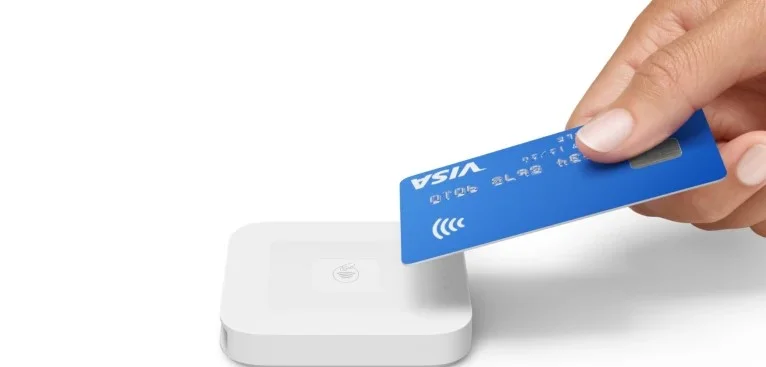
Square’s iPhone Card Reader
For more details, visit Square

Shopify
Combining E-Commerce with Mobile iPhone Payments
Shopify is an excellent option for businesses looking for a comprehensive e-commerce platform with built-in credit card processing capabilities for their iPhone. It’s the only option on this list that charges a monthly fee but Shopify is one of the most feature rich providers in the industry.
Shopify provides a comprehensive e-commerce platform that includes customizable design, product management, and order fulfillment tools, along with credit card processing capabilities, making it ideal for businesses needing a full suite of tools to manage online sales. Its iPhone app is user-friendly and offers features like inventory management, reporting, and customer engagement tools to streamline operations. While Shopify uses a flat-rate pricing model, it allows businesses to integrate other processors, offering the potential for lower fees. Additionally, Shopify supports multiple payment options, such as PayPal and Apple Pay, and provides 24/7 customer support through phone, email, and live chat.
Shopify Card Reader for iPhone

For more information, visit Shopify
Bottom Line
Choosing the right iPhone credit card reader is a key decision for small business owners who want to accept mobile payments. Consider factors like device compatibility, security features, ease of use, and pricing when making your decision. Reliable customer support is also important, as technical issues can arise during payment processing. By weighing these factors, businesses can select a credit card reader that fits their needs and provides a convenient payment option for their customers anywhere.